Key Takeaways
- The best travel apps are the ones that solve real trip problems: flights, accommodation, transport, maps, packing and local planning.
- You do not need dozens of apps. A clean travel phone setup usually needs one flight app, one stay app, one map app, one transport app and one packing or checklist tool.
- Skyscanner and Hopper are useful for flight search and price watching, while Airbnb and HotelTonight can help with accommodation.
- Uber, Citymapper and Google Maps are strongest once you arrive, especially for airport transfers, public transport and walking routes.
- PackPoint is useful before departure because it helps turn weather, trip length and activities into a practical packing list.

Travel used to depend heavily on travel agents, paper maps, printed hotel confirmations and a lot of guessing. Those things still have their place, but a smartphone can now help you compare flights, book rooms, navigate cities, check public transport, find restaurants, pack smarter and avoid small travel mistakes.
The problem is that there are too many travel apps. If you install everything, your phone becomes messy and you still feel unprepared. This rebuilt guide keeps the original app list, updates the structure and turns it into a practical travel app stack you can actually use.
Quick Answer: What Are the Best Travel Apps?
The best travel apps for most travellers include Skyscanner for flight comparison, Hopper for price tracking, Airbnb for homes and longer stays, HotelTonight for last-minute hotel deals, Uber for rides, Citymapper for public transport, PackPoint for packing lists and Google Maps for navigation, offline maps and local discovery. The ideal setup depends on your destination, budget and travel style.
In This Guide
Quick Travel App Stack Builder
Use this quick selector to build a simple app stack instead of downloading too many tools.
Example: For saving money, start with Skyscanner, Hopper, Airbnb or HotelTonight, then keep Google Maps for planning and offline navigation.

Best Travel Apps Compared
| App | Main Use | Best For | Use Before or During Trip? |
|---|---|---|---|
| Skyscanner | Flights, hotels and car search | Comparing prices and flexible dates | Before booking |
| Hopper | Price tracking and bookings | Watching fares and hotel prices | Before booking |
| Airbnb | Homes, stays and experiences | Longer stays, groups and local-style accommodation | Before and during trip |
| HotelTonight | Last-minute hotel deals | Flexible plans and emergency accommodation | During trip |
| Uber | Rides and transfers | Airport transfers and door-to-door rides | During trip |
| Citymapper | Public transport | Metro, bus, train, walking and cycling routes | During trip |
| PackPoint | Packing lists | Weather-aware packing and activity lists | Before trip |
| Google Maps | Navigation and local discovery | Offline maps, places, routes and reviews | Before and during trip |
How to Choose Travel Apps Without Overloading Your Phone
A good travel app setup should be simple. Too many apps create notifications, duplicate bookings and confusion. Before each trip, choose apps based on the exact problems you need to solve.
- For flights: use one comparison app and one airline app after booking.
- For stays: use one hotel or home-stay app plus saved booking confirmations.
- For transport: use a ride app and a public transport app if the city supports it.
- For navigation: download offline maps before leaving Wi-Fi.
- For packing: use one checklist app, then personalise it with your own must-have items.
- For safety: do not store every travel detail in only one app. Keep offline copies too.
#1. Skyscanner
Main use: Flight, hotel and car search.
Best for: Comparing flights across airlines, checking flexible dates and starting a trip budget.
When to use it: Use it early, before you have fixed dates, because flexible-date searching can reveal cheaper travel windows.
Travel tip: Always check baggage fees, airport location, connection time and final booking terms before paying.
#2. Hopper
Main use: Price tracking and travel booking.
Best for: Watching flight or hotel prices and getting alerts when the app thinks booking timing may be better.
When to use it: Use it when you know a route but are not ready to book today.
Travel tip: Treat predictions as helpful signals, not guarantees. Compare final prices with airline and hotel websites.
#3. Airbnb
Main use: Homes, stays and experiences.
Best for: Longer stays, kitchens, neighbourhood living, group trips and local-style accommodation.
When to use it: Use it when a hotel room is too expensive, too small or too far from the area you want.
Travel tip: Read recent reviews, check fees, confirm cancellation terms and study the exact location before booking.
#4. HotelTonight

Main use: Last-minute hotel deals.
Best for: Quick hotel booking when plans change, flights are delayed or you need a room tonight or soon.
When to use it: Use it for flexible city stays and last-minute accommodation searches.
Travel tip: Availability, deal quality and app coverage can vary by location, date and country.
#5. Uber

Main use: Rides and local transport.
Best for: Airport rides, late arrivals, city transfers and situations where public transport is difficult.
When to use it: Use it when you need door-to-door transport or when local taxi pricing is unclear.
Travel tip: Check whether Uber operates locally, compare with official taxis and avoid getting into a car that does not match the app details.
#6. Citymapper

Main use: Public transport navigation.
Best for: Metro, bus, train, walking, cycling and multi-option city routes.
When to use it: Use it in large cities where public transport is faster or cheaper than taxis.
Travel tip: Coverage varies by city, so check before relying on it for a whole trip.
#7. PackPoint
Main use: Packing lists and weather-based planning.
Best for: Creating packing lists based on destination, trip length, weather and planned activities.
When to use it: Use it one week before travel, then review the list again the night before departure.
Travel tip: Do not follow any packing app blindly. Add personal items such as medicine, chargers, documents and destination-specific gear.
#8. Google Maps
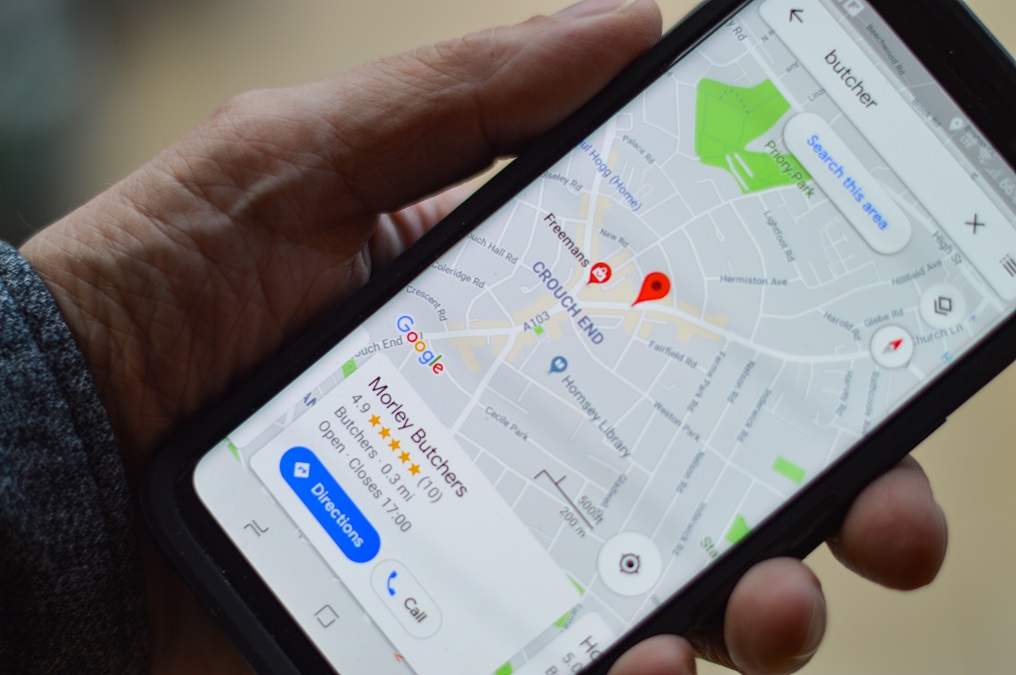
Main use: Navigation, offline maps and local discovery.
Best for: Walking directions, driving routes, public transport, restaurants, attractions, ATMs, petrol stations and offline map planning.
When to use it: Use it before departure to save places, download offline maps and plan neighbourhoods.
Travel tip: Offline maps are powerful, but you should still save accommodation addresses and emergency details separately.
Simple Travel App Stack by Trip Stage
Before Booking
Use Skyscanner and Hopper to compare flights, dates and price alerts. Save options before paying.
Before Departure
Use PackPoint and Google Maps to prepare packing lists, saved places and offline maps.
During the Trip
Use Google Maps, Citymapper and Uber for routes, transfers, food searches and day-to-day movement.
When Plans Change
Use HotelTonight, Airbnb or your airline app if your accommodation, flight or route suddenly changes.
Travel App Safety and Privacy Tips
Travel apps are useful, but they also hold sensitive information such as your location, bookings, payment details and travel dates. Keep your setup helpful but not careless.
- Use strong passwords and enable two-factor authentication where available.
- Download offline confirmations for flights, hotels, insurance and visas.
- Check app permissions and only allow location access when needed.
- Use official app stores rather than random download links.
- Keep a backup payment method in case one app or card stops working abroad.
- Do not rely on one phone only for every important travel document.
Pre-Trip Travel App Checklist
- Install only the apps you will actually use.
- Log in and test every key app before travel day.
- Save flight, hotel and insurance details offline.
- Download offline maps for your first destination.
- Add your accommodation address to saved places.
- Create a packing list and add medicine, chargers and documents manually.
- Check ride-hailing and public transport coverage at your destination.
- Update apps before leaving, not at the airport with weak Wi-Fi.
Final Recommendation
For most travellers, the best basic travel app setup is simple: Skyscanner or Hopper before booking, Airbnb or HotelTonight for accommodation options, Uber and Citymapper for movement, PackPoint for packing and Google Maps for navigation. Add destination-specific apps only when they genuinely make the trip easier.
Summary: Travel Apps Should Make the Trip Easier, Not Busier
The best travel apps are not the ones with the most features. They are the ones that remove friction: finding a cheaper flight, booking a good stay, reaching your hotel safely, packing the right things and navigating a new city without stress.
Start with a small app stack, test it before departure and keep offline backups. That way, your phone becomes a useful travel tool instead of another thing to worry about.
Written By Boyan Minchev
FAQ
What are the best travel apps for most people?
For most travellers, useful travel apps include Skyscanner or Hopper for flights, Airbnb or HotelTonight for accommodation, Uber for rides, Citymapper for public transport, PackPoint for packing and Google Maps for navigation.
Do I need both Skyscanner and Hopper?
You do not always need both. Skyscanner is useful for broad flight comparison, while Hopper is useful for price watching and booking signals. Use both only if you are still flexible with dates and prices.
Which travel app is best for offline maps?
Google Maps is one of the most useful options for offline map downloads, saved places and navigation planning. Download maps before travel day so you are not dependent on airport or hotel Wi-Fi.
What is the best app for public transport?
Citymapper is excellent in supported cities because it compares public transport, walking, cycling and other route options. Google Maps is a good fallback when Citymapper coverage is limited.
Which travel app helps with packing?
PackPoint helps create packing lists based on trip length, weather and activities. You should still add personal essentials such as medicine, documents, chargers and destination-specific items.
Should I trust travel app prices completely?
No. Travel app prices can change quickly and may not include every fee. Always check baggage fees, taxes, cancellation terms, hotel resort fees, location and final payment details before booking.
Sources and Further Reading
- Skyscanner: Mobile travel app
- Hopper: Flights, hotels and travel booking
- Airbnb: Stays and travel experiences
- HotelTonight: Last-minute hotel deals
- Uber: Download the Uber app
- Citymapper: Transport app
- PackPoint: Travel packing list app
- Google Maps
- Digital Trends: Travel apps
- BuildFire: Uber statistics
- ChipJourney: Tips for Packing a Suitcase
- ChipJourney: What Is Travel Insurance?
- ChipJourney: Best Way to Sleep on a Plane
- ChipJourney: Best Places to Travel Alone
Affiliate Disclosure
Some links on ChipJourney may be affiliate links. If you buy, book or purchase through a qualifying link, we may earn a small commission at no extra cost to you. This helps support the site and keeps our travel guides free to read.