Key Takeaways
- Set up your digital essentials at least two days before departure so airport-day problems do not become trip problems.
- Download offline maps, boarding passes, reservations, and backup documents because Wi-Fi and mobile data are never guaranteed.
- Protect every device with updates, strong locks, tracking, backups, and a clear plan for loss or theft.
- Check transport, weather, health, safety, and budget details close to departure because travel conditions can change quickly.
- Pack fewer gadgets but make each one more reliable with the right chargers, adapters, cables, and power strategy.
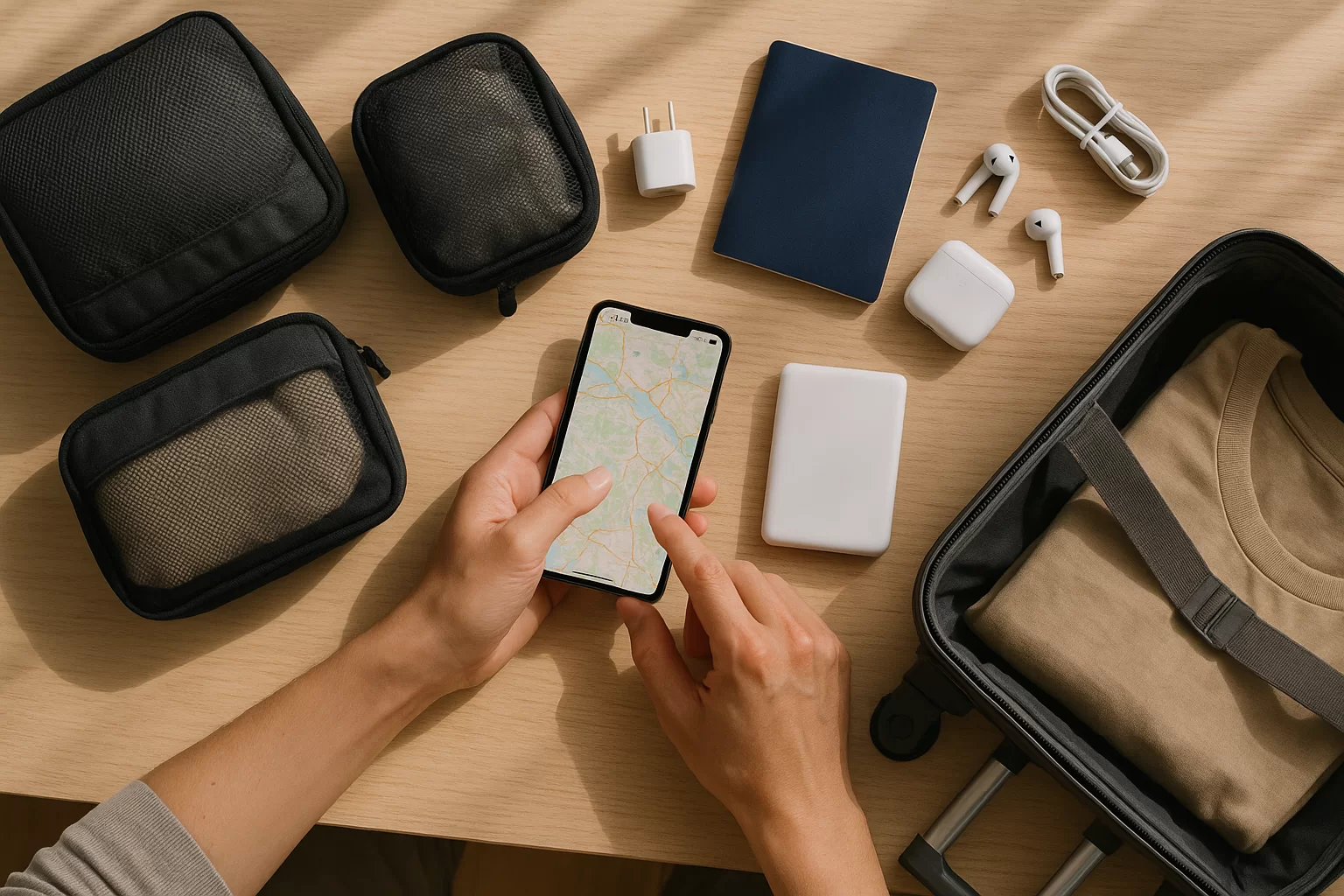
The best travel tech habits before leaving home are not about buying every new gadget. They are about reducing uncertainty: knowing your phone will last, your documents are accessible, your apps work offline, and your plans can survive delays, dead batteries, weak signals, or sudden weather changes.
Use this guide as a practical pre-departure routine. It is written for weekend travelers, digital nomads, family trips, business travel, and international departures where a small tech mistake can become expensive or stressful.
Quick Answer
The most useful travel tech habits before leaving home are to update and back up your devices, save offline copies of key documents, download maps and travel apps, confirm your connectivity plan, pack the right power gear, check current alerts, and secure every device with strong locks and tracking. Do these tasks 48 to 72 hours before departure, then repeat a short final check the night before. This timing gives you room to fix login issues, replace bad cables, adjust reservations, and avoid relying on airport Wi-Fi when you are already under pressure.
Trip Decision Builder
Choose your trip style, weather, bag size, and priority to get a useful packing and planning direction.
Choose the options above, then build a recommendation you can use with the checklist, table, and sources in this guide.
In This Guide
Travel Tech Habits Before Leaving Home: Set Up Your Digital Basics
Start with the essentials that are hardest to fix once you are in transit: logins, documents, reservations, maps, and backups. Open every app you plan to use, confirm you can sign in, and check whether two-factor authentication depends on a phone number, email inbox, or device you are not bringing.
Create a simple offline travel folder on your phone and a second copy in secure cloud storage. Include passport or ID photos where appropriate, visas or entry approvals if applicable, insurance details, hotel addresses, car rental confirmations, train tickets, event tickets, and emergency contacts. Do not invent entry requirements from memory; check official sources close to departure.
Offline Map Habit
Download maps for your airport, hotel area, and first full day route. Save your hotel, transit stations, parking location, and a nearby pharmacy or grocery store. Offline maps help when arrival data is slow or roaming has not activated yet.
Reservation Habit
Save confirmations as PDFs or screenshots, not just emails. Put flight numbers, hotel addresses, booking references, and check-in times in one folder. This saves time when an agent asks for details and your inbox search fails.
Login Habit
Open airline, banking, rideshare, hotel, transit, and password manager apps before leaving. Fix expired passwords at home. If your account requires a verification code, make sure the receiving phone number or email is accessible abroad.
Backup Habit
Run a phone and laptop backup before departure, especially before long or international trips. If a device is lost, stolen, or damaged, a recent backup turns a crisis into an inconvenience instead of a permanent data loss.
A realistic 72-hour tech timeline
- Three days before: update devices, check storage, test chargers, and confirm app logins.
- Two days before: download maps, documents, playlists, books, boarding passes when available, and translation packs.
- One day before: charge everything, pack cables, check weather, confirm transport, and review alerts.
- Departure morning: switch power-saving settings on, verify boarding pass access, and place a charged power bank in your carry-on.
One common mistake is treating screenshots as the only backup. Screenshots are helpful, but they can become buried in your camera roll. Put the most important files in a named trip folder, then favorite or pin the folder if your phone allows it.
Pack, Power, and Protect Your Devices
Good travel tech packing is not about bringing more; it is about removing single points of failure. If one cable breaks, one battery drains, or one adapter does not fit, you should still be able to navigate, pay, communicate, and reach your accommodation.
Before packing, lay every device on a table and ask what it needs to charge, connect, or be protected. Then remove anything that does not solve a real travel problem. A lean kit is easier to monitor at security, in hotel rooms, on trains, and in shared spaces.
| Item | Best habit | Check before leaving | Mistake to avoid | Trip type |
|---|---|---|---|---|
| Phone | Full backup | Storage, updates | Low battery start | All trips |
| Power bank | Carry-on only | Capacity label | Packing in checked bag | Flights |
| Chargers | One spare cable | Fast-charge test | Untested old cord | Any trip |
| Adapter | Match destination | Plug type, voltage | Confusing adapter with converter | International |
| Laptop | Update early | Offline files | Updating at airport | Work trips |
| Earbuds | Charge case | Pairing, fit | Dead case battery | Long transit |
Choose a power strategy, not a pile of accessories
- Weekend city trip: phone, compact wall charger, short cable, earbuds, and small power bank.
- International trip: universal adapter, spare cable, power bank, offline translation, and eSIM or roaming plan.
- Business trip: laptop charger, presentation backups, hotspot option, privacy screen if needed, and a tested video-call setup.
- Family trip: shared power bank, labeled cables, kid-safe headphones, downloaded entertainment, and a device rotation plan.
- Outdoor or road trip: rugged case, car charger, offline maps, weather app, emergency contacts, and a dry bag for electronics.
Check airline and transport rules for batteries before you pack, especially for large power banks, camera batteries, drones, or e-bikes. Rules can vary by carrier and route, so treat this as a current-check task rather than a one-time fact.
Small reliability tip: coil cables loosely and use a small pouch with one cable per device type. Tangled cables fail faster, and digging through loose cords at a gate often leads to leaving one behind.
Plan Connectivity, Transport, Weather, and Budget Before Departure
Your phone is only useful if it can connect, navigate, and help you make decisions. Before leaving home, decide how you will get online, how you will reach your first stop, what weather could disrupt plans, and how you will track spending without depending on perfect service.
For connectivity, compare your carrier’s roaming option, a destination eSIM, a local SIM, hotel Wi-Fi, or portable hotspot. Do not choose only by headline price; consider activation timing, coverage in rural areas, hotspot limits, customer support, and whether your phone is unlocked if you plan to use another SIM.
Arrival Transport
Save your first route from airport, station, or port to accommodation. Include one paid option, one public transport option, and one fallback. Late arrivals are easier when you are not researching platforms or fares while tired.
Weather Check
Look beyond temperature. Check wind, rain timing, heat risk, air quality, and road conditions if driving. Weather affects battery life, luggage choices, delays, walking routes, outdoor reservations, and whether backup indoor plans make sense.
Budget Guardrails
Enable bank travel notices if your bank still uses them, set app spending alerts, and store a backup payment method separately. Download currency tools for international trips, but avoid relying on exact conversion guesses for fees.
Ticket Timing
Check whether transit passes, museum reservations, parking, ferries, or airport transfers need advance booking. Some mobile tickets require app activation or an internet connection, so understand when the ticket becomes valid.
Connectivity decisions that actually matter
- Solo travel: prioritize reliable navigation, emergency calling, and location sharing with someone you trust.
- Group travel: decide one backup meeting point and use a shared itinerary so one dead phone does not stall the group.
- Road trips: download offline routes and fuel or charging stops because rural coverage can be uneven.
- International arrivals: know whether your eSIM or roaming starts before or after landing, and keep hotel directions offline.
- Budget travel: check public Wi-Fi availability but do not use it as your only plan for banking, tickets, or check-in.
Avoid making every plan app-dependent. If a bus ticket app, hotel app, or rideshare app fails, you should still know the address, confirmation number, approximate route, and another way to contact the provider.
Lock Down Privacy, Safety, and Current Checks
Travel increases the chance of lost devices, shared networks, shoulder surfing, and rushed decisions. A good pre-trip security routine makes your phone less valuable to a thief and more useful to you if something goes wrong. Update operating systems at home, not on hotel Wi-Fi, and avoid leaving critical updates for the airport.
Use a strong screen lock, turn on device tracking, review emergency contacts, and make sure your password manager works offline if you depend on it. For international trips, also check current safety, health, and destination alerts from official sources close to departure rather than relying on old blog posts or social media comments.
Pre-trip security checklist
- Turn on Find My Device or the equivalent tracking tool for each phone, tablet, and laptop.
- Set a strong passcode and remove sensitive lock-screen previews for messages or emails.
- Update your operating system, browser, banking apps, airline apps, and password manager.
- Back up important photos, work files, and trip documents before the device leaves home.
- Use a VPN only if you trust the provider and understand when it helps on public Wi-Fi.
- Write down emergency numbers, insurance details, and accommodation contacts in an offline note.
What to check close to departure
- Safety: destination advisories, local disruptions, demonstrations, strikes, or severe weather risks.
- Health: travel health notices, required or recommended precautions, medication packing rules, and insurance coverage.
- Transport: flight status, terminal changes, train works, road closures, parking reservations, and transfer timing.
- Money: card acceptance, ATM access, foreign transaction fees, cash needs, and backup payment options.
- Communication: roaming activation, eSIM installation, charger compatibility, and emergency contact sharing.
If you are traveling abroad, consider enrolling in official traveler alert programs where available. These services can help you receive embassy updates and make it easier for officials to contact you during a crisis.
Privacy mistake to avoid: do not post boarding passes, passports, hotel room numbers, or real-time location updates publicly. A harmless-looking photo can expose confirmation codes, barcodes, names, and travel timing.
Summary and Final Thoughts
The smartest travel tech routine is simple: prepare early, keep essentials offline, secure every device, and verify current conditions before you leave. These habits reduce the most common travel headaches without turning your packing list into a gadget drawer.
Build a repeatable checklist you can reuse for every trip, then adjust it for destination, weather, transport, budget, and safety needs. When your tech is ready before you walk out the door, the rest of the journey becomes easier to enjoy.
FAQ
When should I start my travel tech checklist?
Start 48 to 72 hours before leaving home. That gives you enough time to update devices, solve login problems, replace bad cables, download offline files, and confirm transport. Do a final quick check the night before departure and charge everything fully.
What documents should I save offline before a trip?
Save your boarding passes, hotel confirmations, transport tickets, insurance details, emergency contacts, and key addresses. For international trips, add passport or ID copies, entry documents if applicable, and destination contacts. Keep them in a clearly named folder, not scattered across screenshots.
Is an eSIM better than international roaming?
It depends on your phone, destination, trip length, and need for hotspot data. Roaming can be simpler, while an eSIM may offer flexible data options. Check coverage, activation timing, support, and whether your phone is unlocked before choosing either option.
How can I keep my phone battery alive on travel days?
Charge fully before leaving, carry a tested power bank, reduce screen brightness, download offline maps, and close battery-heavy apps. Turn on low power mode during long transit. Cold weather, weak signal, navigation, and video can drain a phone faster than expected.
What is the biggest travel tech mistake to avoid?
The biggest mistake is assuming everything will work online when you need it. Airport Wi-Fi, roaming, app logins, and payment systems can fail. Offline maps, saved confirmations, backup payment, charged power, and current checks make your plans much more resilient.
Sources and Further Reading
- Best Travel Baby Monitor: Comprehensive Buying Guide
- Travel Trailer Accessories You Must-Have For Comfort
- Travel Essentials For Women: The Ultimate Packing Guide
- Why Is It Important To Have a Good Travel Case For Camera?
- U.S. Department of State — Smart Traveler Enrollment Program (STEP)
- CDC Travelers’ Health — Travel Health Notices